
Welcome to World of IPTV

Join us now to get access to all our features. Once registered and logged in, you will be able to create topics, post replies to existing threads, give reputation to your fellow members, get your own private messenger, and so, so much more. It's also quick and totally free, so what are you waiting for?

Forum Rules

Our Rules: Read to avoid getting banned!

Advertising

Introduce Yourself to the World with Us!

Resource Database

Find the newest resources around IPTV!

Account upgrade

Upgrade your account to unlock more benefits!

Tutorial Change the offline channel screen of XUI one

uncleben

Extended Member
Ext. Member
Basic Member
Joined
Jun 3, 2022
Messages
27
Reaction score
13
Points
14
Location
xxx
1. Download the file
/home/xui/content/video/offline.ts
1.png
2. Convert it from . ts to .mp4 format I used onnline converter
3. Then edit the file in a video editor, I used the tool available from the browser
4. After editing, convert the file once again, this time from .mp4 to .ts
5. And upload it to the server again
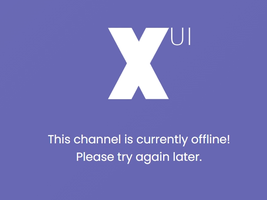
6.Now when the channel is offline it displays the image we created

This channel is currently offlin.png
 
I have been looking for this info to how to change . I wonder the file size important in this case. IF we put 5-10 mins video file, would it still work ? Thank you :)
 
I have been looking for this info to how to change . I wonder the file size important in this case. IF we put 5-10 mins video file, would it still work ? Thank you :)
I can't remember anymore if size mattered. You should try it with what I described above
 
Channels MatchTime Unblock CDN Offshore Server Contact
100 cnx / 90€ 5Gbps / 180€ 48CPU-256GRAM 10Gbps 569€ Skype live:giefsl
500 cnx / 350€ 10Gbps / 350€ 48CPU-128GRAM 5Gbps / 349€ TG @changcdn
1000 cnx / 500€ 20Gbps / 700€ 40CPU-128GRAM 20Gbps / €980 http://coronaserver.com
shape1
shape2
shape3
shape4
shape5
shape6
Back
Top






